How to Create Your Own Custom Airbnb Link
Give your listing link your property’s name and share it in messages and on social media.

Did you know you can change your Airbnb listing link to make it shorter and easier to remember?
Instead of a long link full of numbers and symbols, you can create a custom link that includes your property’s name!
It’s a small detail that makes your listing look more professional and easier to share with potential guests. 😃
How to create your own link
-
Open Airbnb in hosting mode and go to Listings.
-
Select the property you want to edit.
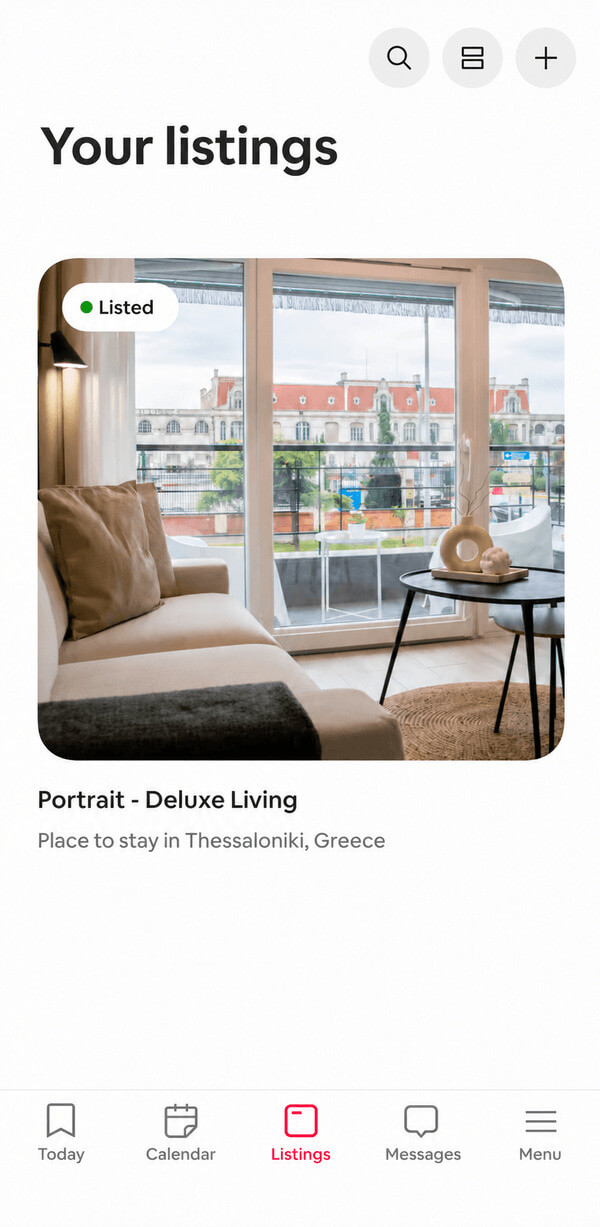
-
In the listing editor, look for the Custom link option.
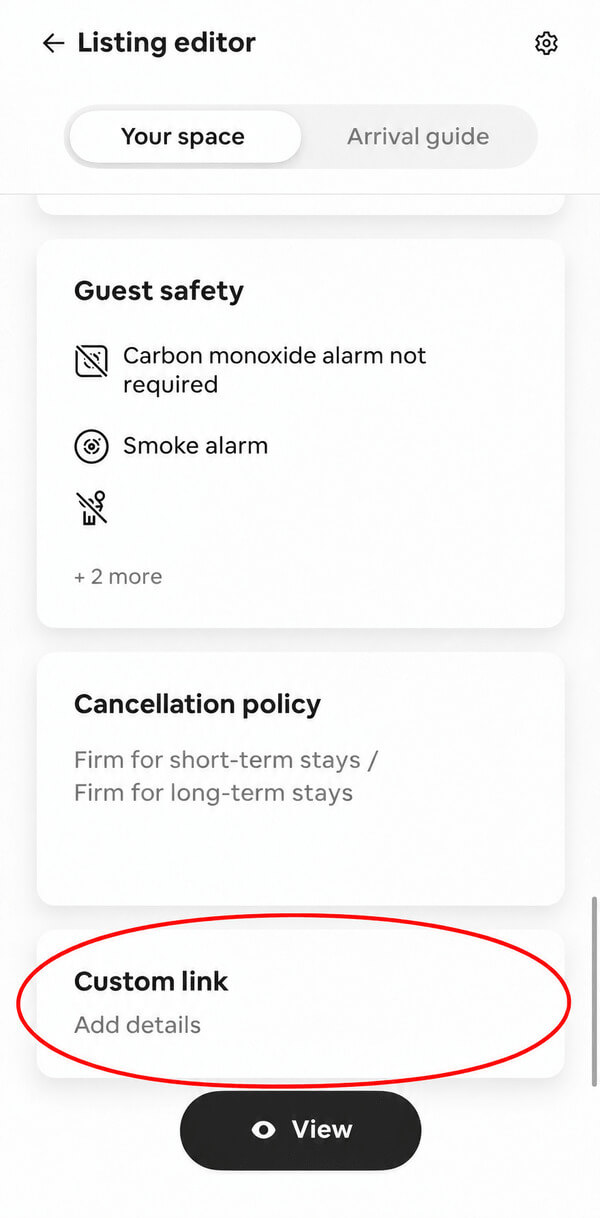
-
Enter the name you’d like to use and tap Save.
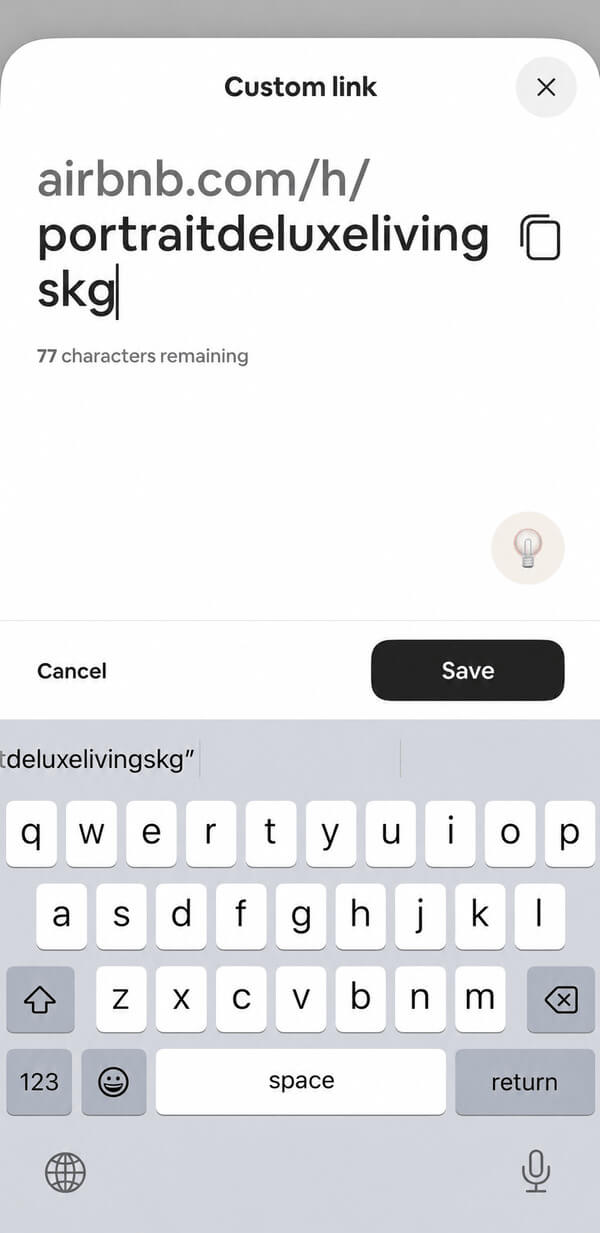
The location of this option may vary depending on your app version and device. If you can’t find it in the app, try using a computer and following Airbnb’s official instructions for creating a custom link.
Choosing a name
Start with your property’s name. Keep it short, recognizable, and easy to say out loud. For example, a name like villa-elia-mani is easier to read than a long string of numbers.
Airbnb has a few rules: the name must be at least three characters long, include at least one letter, and contain no symbols or punctuation other than hyphens. It also can’t consist solely of a generic location or property type.
Before you decide, check Airbnb’s requirements for custom links.
Save it and test it
Once you’ve saved your link, copy and paste it into your browser. Check that it opens the correct listing before you start sharing it.
Then keep it in your notes or wherever works best for you, so it’s ready the next time someone says, “Send me your Airbnb!”
Where you can use it
Your new link comes in handy wherever you already share your property:
- In messages to people who want to see the listing.
- In your TikTok or Instagram bio, if your account allows you to add a link.
- On your property’s social media page.
- In your email signature.
It’s a small detail, but it gives your property’s presentation a more polished feel. The next time you need to send your link, it’ll be ready with the name you chose.
👋 See you in the next post!
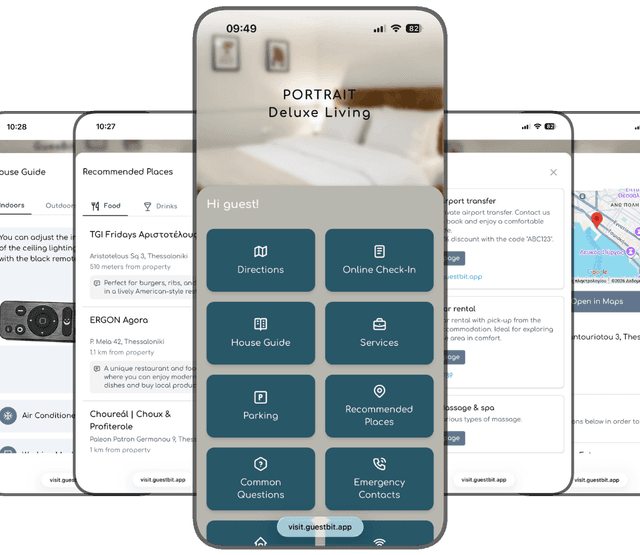
Make guest information easy to share
Create a digital guest guide with GuestBit and keep everything your guests need in one place.
Free 14-day trial